 File Encryption Vault
Real encryption for your private files.
A vault is a folder of encrypted files. Keep it in Documents, on a USB stick or in Dropbox, and open it on Windows or Mac. Every file inside is a standard age file, so you can get everything back even without this app.
Get File Encryption Vault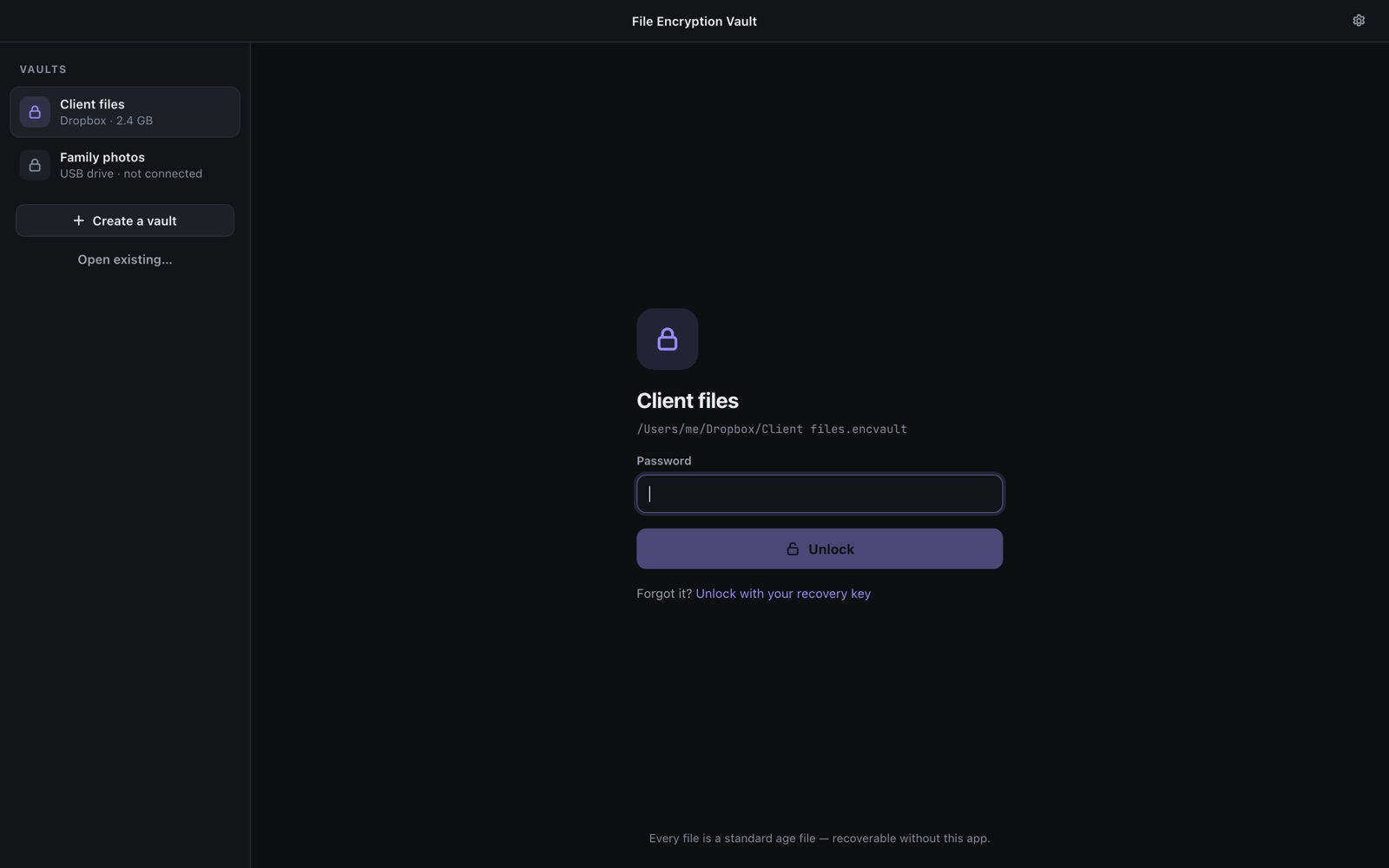
Not a "folder lock". Encryption.
Many lock apps only hide a folder or change its permissions. Anyone with the disk can read it. A vault is unreadable without your password or recovery key.
Same vault, both systems
Create it on a Mac, open it on a Windows PC from a USB stick or a synced folder.
Open format
Every file is an age file; names and folders live in an encrypted index. The format is public.
Recovery without us
Forgot the password? The recovery key opens the vault, in the app or with the open-source recovery tool.
Move in, verified
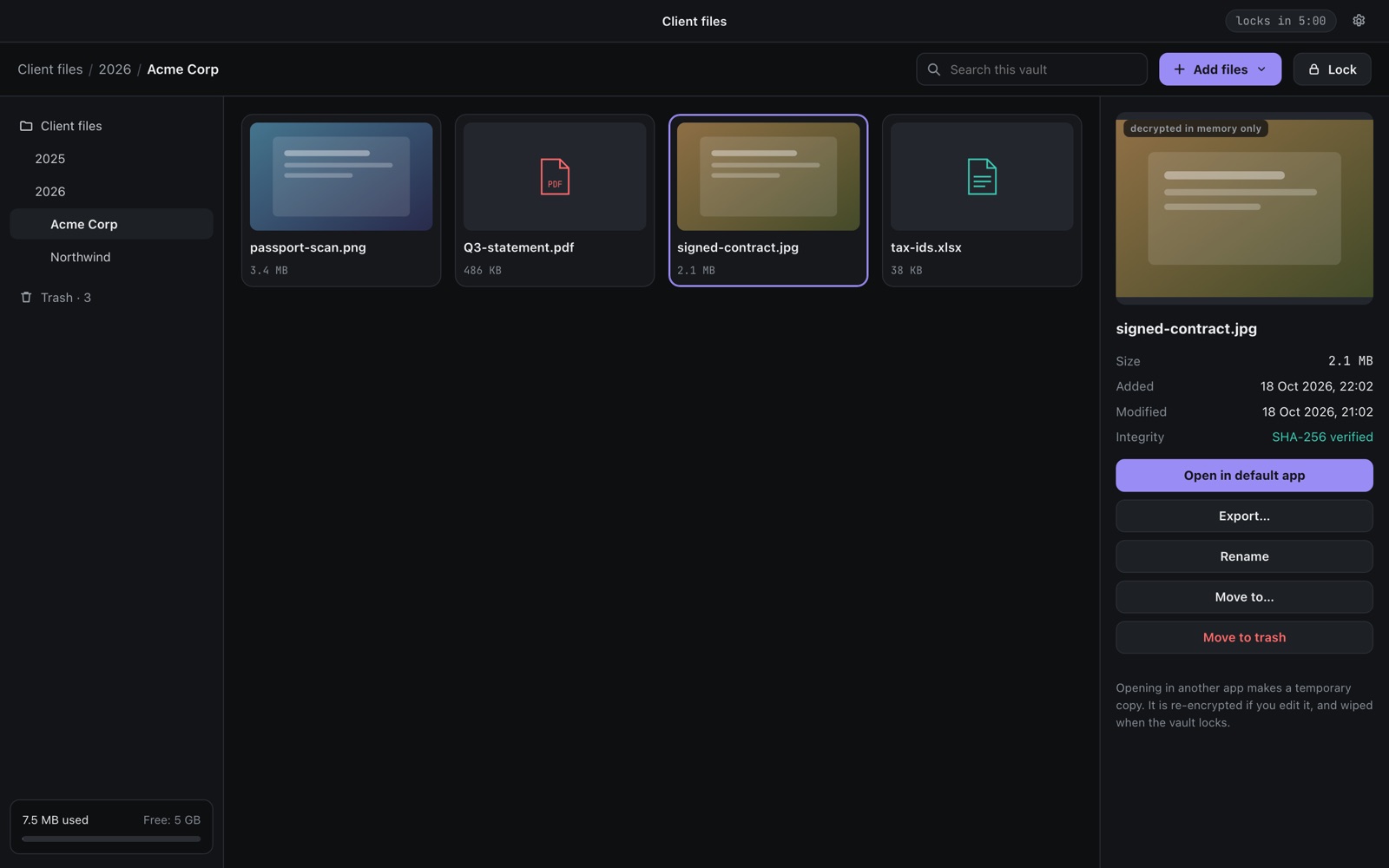
Move mode deletes your originals only after the encrypted copy was read back and its checksum matched.
Built not to lose data
Ordered, synced writes and three backup indexes. Our tests kill the app mid-write 100 times; the vault opens every time.
Locks itself
After a few idle minutes, when the computer sleeps, or when the screen locks. Touch ID on Mac with Pro.
A recovery key you actually keep
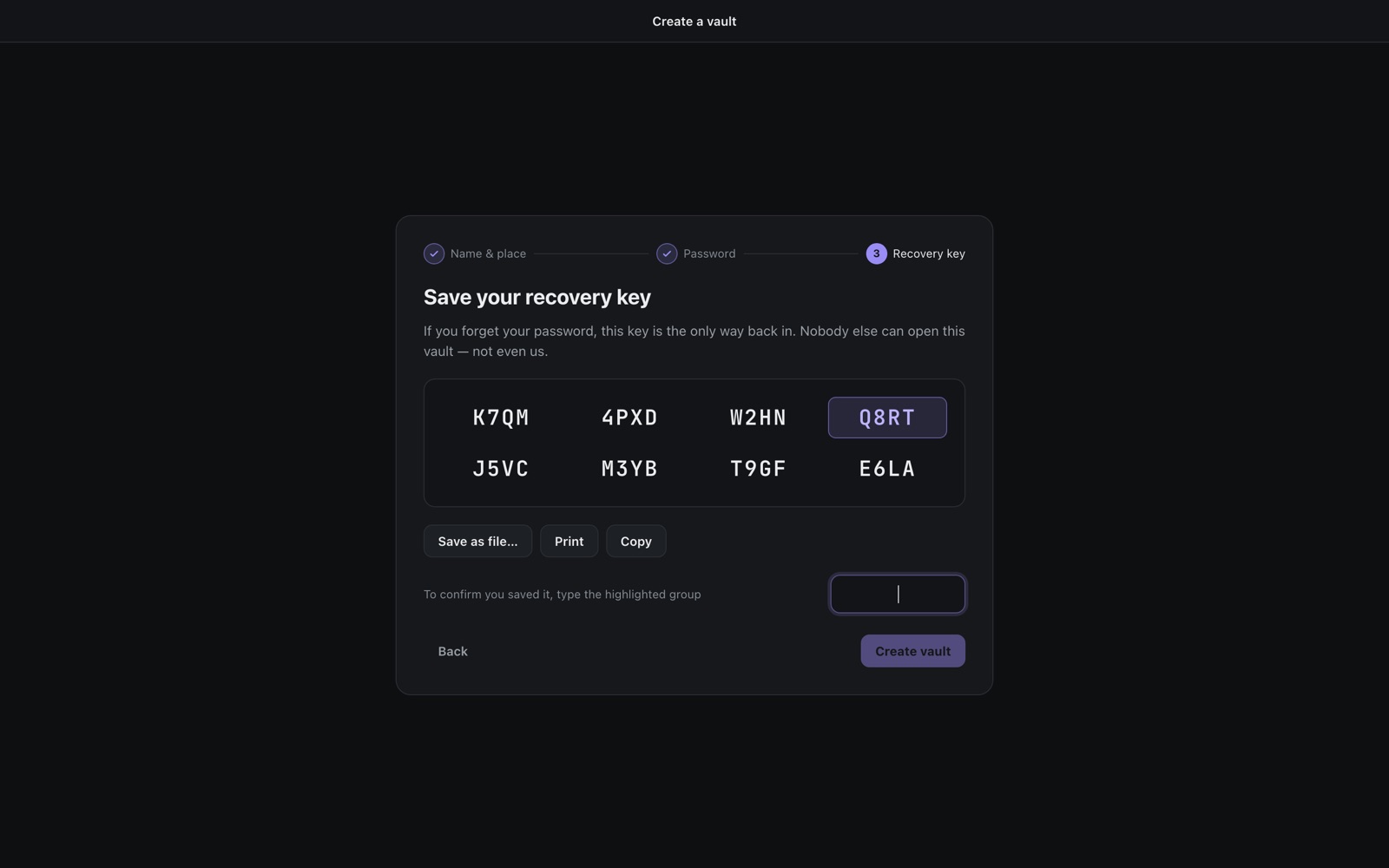
When you create a vault you get a 32-character recovery key. Save it as a file, print it or copy it, then type part of it back. Nobody else can open your vault — not even us.
Honest about limits
On SSDs and synced folders, deleted bytes can linger in free space or version history (they stay encrypted). Apps you use to open a decrypted copy may keep thumbnails or autosaves; the app deletes its own temporary copies when the vault locks. Details on the format page.
Free, with a one-time Pro
| Free | Pro | |
|---|---|---|
| Vaults | 1, up to 5 GB | Unlimited |
| Open, preview, export, delete | Always, even over the limit | Always |
| Touch ID unlock | – | Mac |
| Encrypted backup to S3 / R2 / B2 | – | Coming in 1.1 |
Coming soon to the Microsoft Store and the Mac App Store.